

If you’re planning to start an online business in Dubai or anywhere in the UAE, WooCommerce is a great choice. It’s flexible, easy to use, and works perfectly with WordPress. But to truly succeed, you need a customized WooCommerce store that fits the unique needs of your local market.
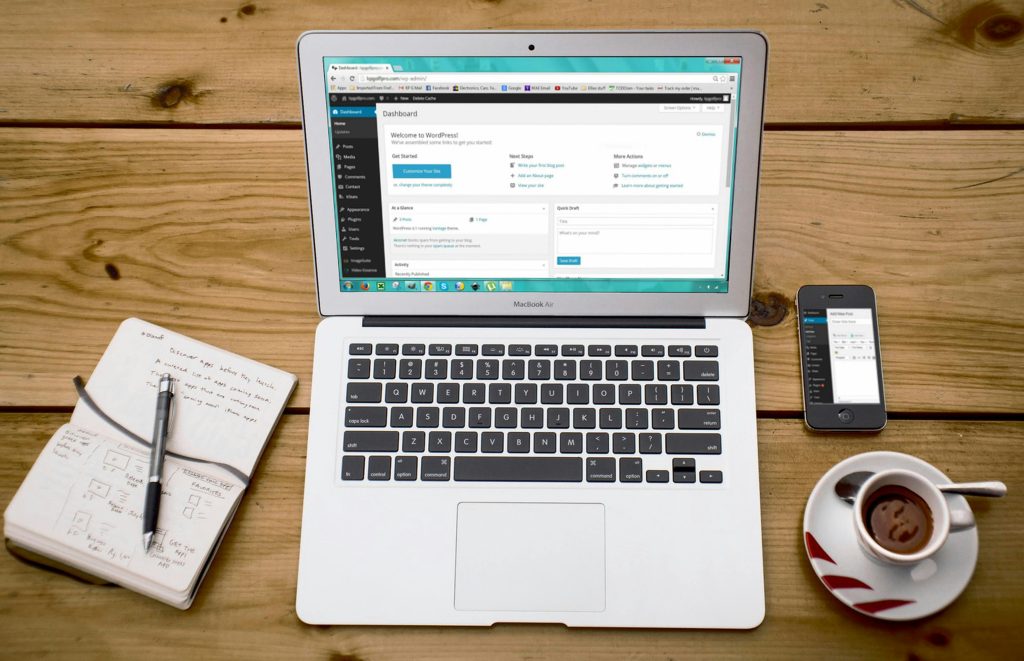
In this blog post, we’ll show you how to tailor your WooCommerce store for the UAE audience. Whether you’re working with a WordPress development UAE agency or doing it yourself, these tips will help you create a smooth and professional shopping experience for your customers.
Why Customize WooCommerce for the UAE?
While WooCommerce is ready to use out of the box, every market is different. Here’s why customization matters for the UAE:
- Local language support (Arabic and English)
- Integration with UAE payment gateways
- Mobile responsiveness for users shopping on the go
- Shipping and tax settings that match UAE regulations
- Cultural relevance in design and content
Choose the Right Hosting and Domain
Before you start customizing, make sure you choose:
- A reliable hosting provider with fast speed in the UAE
- A domain name that reflects your brand and market
💡 Tip: Consider a .ae domain to build local trust.
Install a Local-Friendly Theme
Pick a WooCommerce-compatible theme that supports:
- Arabic language and right-to-left layout
- Mobile optimization
- Customization options (fonts, colors, layouts)
Recommended Themes:
- Flatsome
- Astra
- Porto
These themes work great for WordPress development in UAE and are easy to set up.
How to Setup WooCommerce Store in the UAE
Setting up your store the right way is the first step toward customization. Here’s a simple setup checklist:
- Install WordPress
- Add the WooCommerce plugin
- Choose your theme
- Configure your store settings (currency, language, location)
- Add products with clear descriptions and photos
- Set up UAE payment gateways
Once your store is up, you can move to more advanced customization.
Customize the Product Pages
To build a successful customized WooCommerce store, make your product pages shine.
Key Elements to Include:
- High-quality images with zoom
- Price in AED
- Short and long product descriptions
- Customer reviews
- Stock availability
- Delivery timeframes
Add Custom Fields:
With plugins like Advanced Custom Fields, you can add:
- Size guides
- Warranty info
- Special promotions
This helps boost your online shopping experience and builds trust.
Use UAE Payment Gateways
Offering local payment options increases your chances of making a sale.
Popular Gateways in the UAE:
- Telr
- PayTabs
- Network International
- Stripe (now available in UAE)
Make sure your WooCommerce store integrates with at least one of these.
Multi-Language Support
Many customers in Dubai speak both Arabic and English. Your store should reflect that.
How to Add Multilingual Support:
- Use WPML or Polylang plugins
- Translate product titles and descriptions
- Offer language switcher on top of your website
This helps reach a wider audience in the UAE.
Customize Shipping and Tax Settings
Make your shipping policies clear and localized.
Setup Tips:
- Offer free or flat-rate shipping for Dubai
- Use real-time rates for other Emirates
- Add options like “Cash on Delivery”
- Display VAT and tax info during checkout
WooCommerce lets you adjust all these settings easily.
Optimize for Mobile Users
Many users in the UAE shop from their smartphones. Make sure your site is mobile-friendly.
Mobile Optimization Tips:
- Use a responsive theme
- Keep navigation simple
- Use large buttons and fonts
- Test your site on various devices
Fast mobile experiences = more conversions!
Add Social Proof and Trust Signals
UAE shoppers are careful about where they buy online. Show that your store is safe and trusted.
How to Do It:
- Display reviews and ratings
- Add secure payment icons
- Include a return policy
- Use WhatsApp chat plugin for instant support
All these steps make your customized WooCommerce store more reliable.
Work with WordPress Development Experts in UAE
Customizing WooCommerce can be simple with the right help. Consider hiring a local expert for:
- Custom plugin development
- Theme customization
- Performance optimization
- Integration with logistics platforms
Choosing WordPress development UAE services ensures your store aligns with local trends and needs.
Bonus Tip: Speed Up Your Store
Website speed affects user experience and sales.
Easy Ways to Improve Speed:
- Use caching plugins like WP Rocket
- Compress images with Smush
- Choose a fast hosting provider
- Minimize the number of active plugins
A faster store = happier customers.
Choose the Best Website Design for Your E-Commerce Store in Dubai
Design plays a huge role in how customers feel about your brand. Make sure your design:
- Reflects your niche
- Matches your target audience (luxury, tech, fashion, etc.)
- Uses colors and fonts that are easy to read
- Has clean navigation and a clear call-to-action
If needed, Choose the Best Website Design for Your E-Commerce Store in Dubai by hiring a local design agency.
Final Thoughts
Creating a customized WooCommerce store for the UAE market isn’t just about plugins and settings—it’s about understanding your audience. From payment options to language and design, every small detail can improve the shopping experience.
Whether you’re just learning How to Setup WooCommerce Store in the UAE or looking to improve your existing store, these tips will help you offer a smoother, more localized eCommerce experience.
By combining smart tools with local insights, you can build a WooCommerce store that truly works for your business in Dubai and across the UAE.